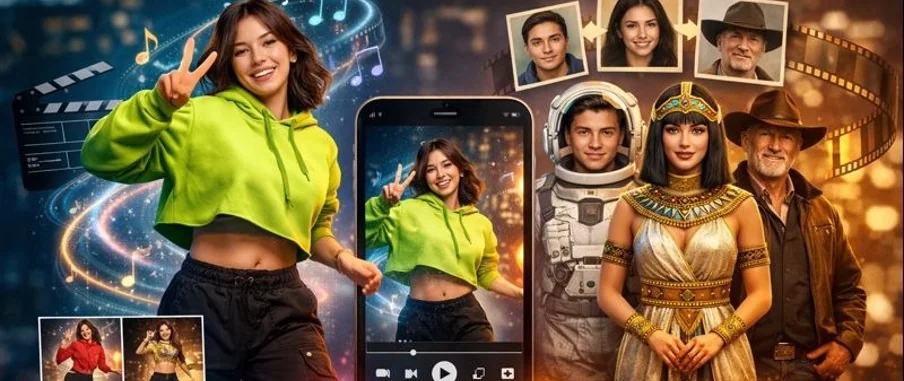

Scroll for five minutes and you’ll notice something: videos don’t feel “shot” anymore. They feel assembled. A familiar face, a new beat, a different outfit, a fresh background, the same punchline—repackaged at the speed of a swipe.
That’s the real reason AI dance has taken off. It’s not just about making a photo move. It’s about turning one good visual into a dozen variations without reshooting, re-lighting, or begging a friend to hold your phone for “one more take.”
And while the trend looks playful on the surface, it’s quietly changing how creators, small brands, and even casual users think about content: fewer perfect originals, more smart remixes.
The Appeal: Low Effort, High “I Need to Share This”
AI dance clips work because they hit three things at once:
- Instant recognition: a face you know (or a character you’ve been building)
- Rhythm: even a simple movement loop feels “finished” when it matches a beat
- Repeatability: the format invites a series (“same person, different vibe”)
It’s also a rare kind of content that performs well without heavy context. You don’t need a long caption to explain a dancing portrait. People get it immediately.
AI Dance vs Face Swap: Two Tools, Two Very Different Jobs
Creators often lump these together because both feel like “magic video edits.” But they’re better treated as two different moves in the playbook:
- AI dance = generate motion, personality, meme energy
- Face swap = keep the scene, change the identity (fast variations, fast testing)
If you’re trying to decide which to use first, this quick table helps.
Goal | Start with | Why it works | Keep it safe by… |
Make a meme people understand instantly | AI dance | Motion + beat creates instant payoff | Using clear, well-lit photos you have rights to |
Turn one person into a repeatable “series character” | AI dance → light variations | Same face, different vibes = easy format | Keeping changes small (outfit/vibe, not identity) |
Test different “spokesperson” vibes for the same edit | Face swap | Keeps the scene consistent | Getting consent + avoiding real public figures |
Localize or personalize a template fast | Face swap | Same structure, different face | Disclosing edits where needed |
Make a group joke for friends | Either | It’s playful and shareable | Keeping it private and consent-based |
How Tools Like GoEnhance Fit Into the Workflow
There’s a reason people search for browser-based options: most creators don’t want another complicated app, another export setting, another “why is my render stuck” headache.
One practical option is GoEnhance AI—it provides an AI dance feature that turns a single photo into a ready-to-share dancing clip using preset dance templates, which is exactly why it’s showing up in so many short-form workflows. When you want to try it directly, here’s the tool: AI dance online.
And when the goal isn’t “make it dance” but “keep the same scene and swap the identity,” a face swap approach is usually faster for iteration—especially for testing multiple variations of the same edit. That’s the second tool angle: face swap video AI free.
One Good Photo, Fewer Do-Overs
Most people overthink this and end up with messy results. The cleanest workflow is surprisingly simple:
1) Start With an Image That Makes Sense Fast
If the face is small, blurry, angled too far, or hidden by hair/hands, the output will struggle. Use:
- front-facing or slight 3/4 angle
- clean lighting (window light beats harsh overhead)
- a clear expression (neutral or confident works best)
2) Be Clear on the Goal Before You Add Style
Ask one question: What do I want viewers to feel in the first second?
- “Cute + funny” → bouncy dance loops
- “Confident + stylish” → smoother, slower movement
- “Chaotic + meme” → exaggerated timing
3) The Pro Way to Make Variations (One Change Only)
This is where most creators accidentally ruin a good base. Don’t change everything. Instead, do small controlled tests:
- same face, new dance style
- same dance, new crop (close-up vs medium)
- same clip, new caption format
That’s how you get a library of usable posts instead of one clip that you can’t replicate.
The Quiet EEAT Part: Consent, Context, and Not Being “That Account”
Let’s be honest—anything involving faces can go sideways fast. If you want to stay on the right side of platform rules and keep trust with your audience, treat these as non-negotiables:
- Use real consent for real faces. Friends, clients, creators—get an explicit yes.
- Avoid public figures and sensitive contexts. Even “as a joke” can become a problem when it spreads.
- Don’t use face tools to mislead. If the video implies someone said/did something they didn’t, you’re playing with fire.
- Keep a simple disclosure habit. A tiny note like “edited” or “AI-assisted” can save you headaches, especially for brand accounts.
The best creators aren’t the ones who can generate anything. They’re the ones who know what not to generate.
Why This Trend Isn’t Going Away
AI dance looks like a novelty until you realize what it really offers: a repeatable content engine. One clean image can turn into a week of posts. One concept can become a format. One character can become a recognizable series.
That’s why this moment feels bigger than a trend. We’re moving from “create once” to “remix intelligently.” And for creators who are short on time (which is basically everyone), that shift is hard to ignore.
If you treat AI dance as a workflow instead of a gimmick—clear source image, clear intent, controlled variations—you’ll get results that feel more like content and less like a quick demo.