The Role of AI in Image Editing: How Background Removal Works
Artificial intelligence may seem like a recent technological breakthrough, given how often it gets thrown around. While it may be one of today’s hottest trends, the concept actually dates back to ancient times - even before Da Vinci sketched his first humanoid robot prototype.
Fast forward to the 20th century, AI has undergone significant refinement, maturing into an indispensable tool embraced by various industries, including the creative sector.
Not to state the obvious, but AI photo-editing tools have been a popular option in the image-editing market for quite some time now. By making these advancements accessible to everyone, the barriers to complex editing tasks have become almost non-existent.
Take background removal, for instance. With AI image editing, you can easily achieve clean product shots faster than you can decide which filter to use. It doesn’t matter if you’re a content creator, a marketer, or a graphic designer; consider those messy edges and fine details an afterthought - because they no longer have to slow you down!
What is AI in Image Editing?
Traditional vs. AI Image Editing
If you’re a Millennial or an early Gen Z, chances are that lasso tools and editing masks trigger a distant memory from when you first tried to use Photoshop. Back then, photo editing was an uphill battle that designers know all too well; each one of them faced a single enemy: the pixel.
This meant that perfect edits didn’t crawl out of a vacuum - unless you were a master at your craft, precision was largely dependent on skill level. Whether it’s retouching, doing color correction, or trying to remove background objects, everyone had to start from scratch.
Fortunately, we can say that isn’t the case today. Now, you don’t need to have decades of experience under your belt to produce designs of professional quality. With AI image editing, expect deep learning algorithms to automate tasks for you with a single click.
What value do AI-powered image editing tools offer?
If we’re talking about speed, convenience, and accessibility, AI wins by a mile. The reason being is, that not everyone is a designer by profession. And while it doesn’t give you full creative control over every minuscule image detail, its ability to speed up processes is a benefit hard to ignore.
At the top of the list is automatic object detection. For example, any AI photo editor can distinguish the mountains in the background from, let’s say, your pets in the foreground. AI can instantly amp up the brightness or add a bit of contrast, change a lackluster sky to a more inviting hue, remove objects that don’t belong, and even suggest a different background altogether!
Undeniably, editing has become a walk in the park, photography has become a way of life, and AI editing tools have become an accepted norm, both for enthusiasts and professionals alike – even professional photographers swear by Adobe Lightroom for quick edits.
Understanding Background Removal
There are many instances where background removal becomes crucial in editing. Looking closely, everything we practically see online is playing a tug-of-war with our attention, challenging us to engage more. By interacting with carefully curated thumbnails, logos, ads, and other social media posts made to elicit a reaction, marketers gain a clearer picture of our tastes and product preferences.
And we get it - the online market can be unforgiving, and digital platforms have become the new battlefield for businesses, influencers, and designers. To drive sales, capitalizing on our ever-shrinking attention spans is crucial. Successful businesses know the power of first impressions – because people have little time to spare, the fate of a purchase often depends on distraction-free images that can capture a viewer’s attention within seconds.
AI photo-editing tools are key to solving this problem. Aside from allowing creators to free up some space in their busy lifestyles, they also reduce human error, leaving users more confident in the results.
How does it work?
An AI background remover doesn’t just create something out of nothing. These tools, trained on tons of visual content, use advanced algorithms to identify the subject from its background. Later on, detection accuracy improves and can operate automatically with utmost efficiency.
The technicalities surrounding object detection are much more complex, but it mainly functions with an object detection bounding box, a square or rectangle that typically encloses and identifies an object’s edges. The more images it feeds on, the more accurate it gets over time.
On the other hand, temporal differencing is performed on successive images to determine changes in color intensity. Often, pixels showing a major color change are tagged as part of the subject in motion. Otherwise, they are considered part of the background.
These algorithms may already seem impressive, but they are only just beginning to evolve. It’s only a matter of time before they reveal possibilities we once thought were out of reach.
Examples of AI Background Removal Tools
Not everyone has the time (or the patience) to master Photoshop fundamentals, let alone the budget to hire professional editors. In the good old days, one wrong edge with the border tool and you’d have to bid your progress goodbye – undoing hours of meticulous work.
AI image editing takes this matter into its own hands, churning out perfectly cut images every time. The availability of tools online offers endless possibilities, but you can never go wrong with the following picks:
Removal.AI
If you want a straightforward and no-fuss solution for removing unappealing backgrounds, Removal.AI is the choice to have. Unlike basic background removers that leave rough outlines of fine hair strands, shadows, and transparent edges on photos, this tool uses deep learning to produce crisp cutouts with greater accuracy in just a few seconds.
With batch processing, bulk edits won’t be a task you’ll have to dread any longer. AI buys you more time for future endeavors and leaves you with no room to second-guess your work, making tools like this background remover an ideal option for busy individuals and businesses.
Adobe Photoshop
Depending on the complexity of the task, you can expect Adobe Photoshop to deliver. It detects potential distractions for you, easing you into the removal of unwanted elements. For years, Photoshop has been the gold standard in image editing, a revolutionary application that has sharpened aspiring creatives into leading experts in the industry. Now, with the addition of AI-powered features, it doesn’t just remove the background - it analyzes and adapts.
Canva
Presentations and design templates are Canva’s claim to fame, but did you know its background remover tool is one of its underrated features? It takes only one click to realize that those countless hours spent tracing an outline could have been spent on smarter solutions instead. Canva isn’t only fast and accessible, but it also gives you professional-grade edits without the overwhelming complexities of advanced software.
Role of AI in Image Editing Beyond Background Removal
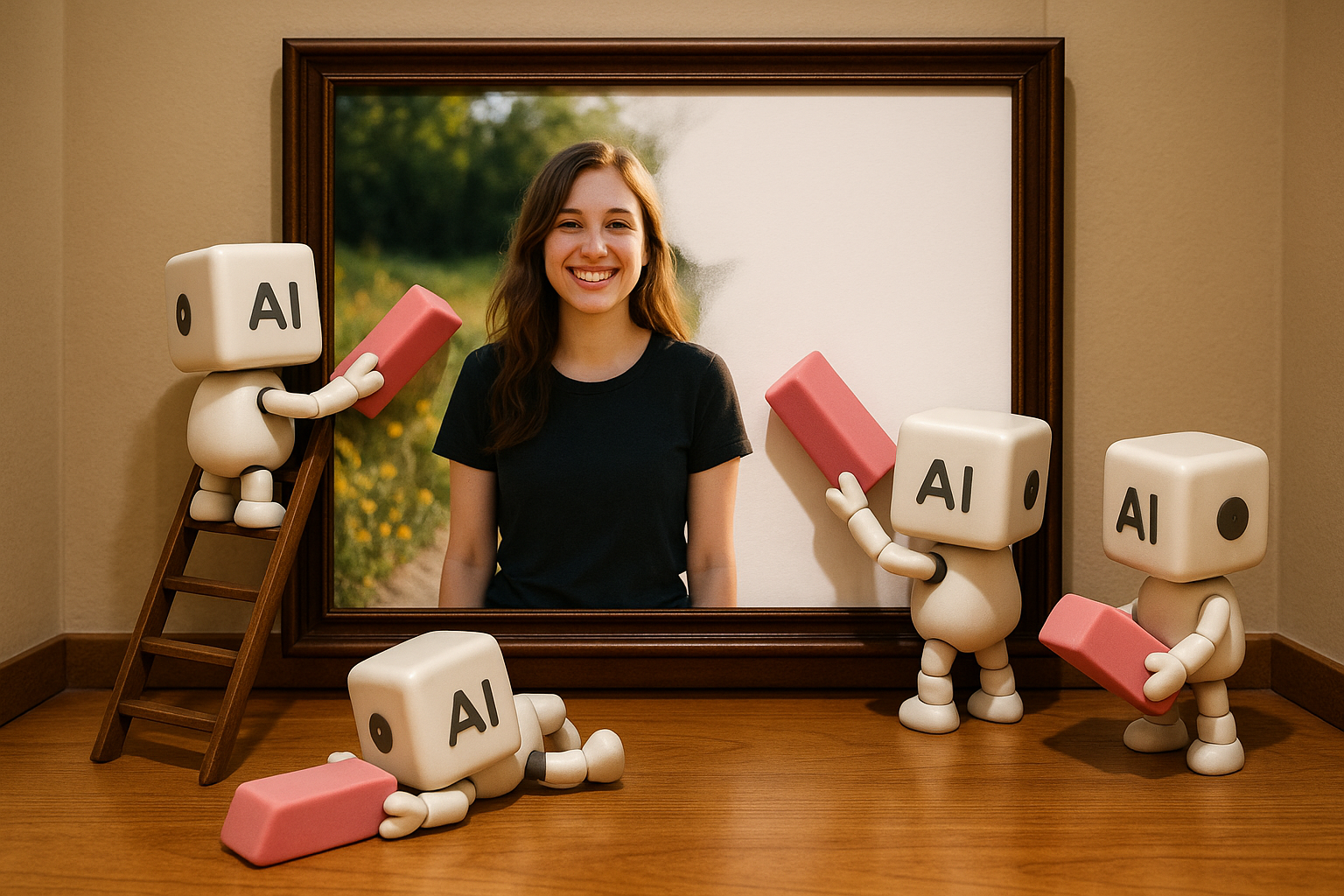
Background removal may be one of the most celebrated applications in the e-commerce and graphic design industry, but it’s just one of the many AI tools for photo editing made available to us. Luckily, your options for smart and intuitive editing stretch beyond just cutting out subjects from their surroundings. If you’re seeking other ways to make your photos look stunning, AI can also do the following:
Retouching and Color Grading
We’ve all taken a photo we believed was gonna be the perfect shot, only to find the colors dull, the lighting off, or worse – a bright red zit trying to steal the spotlight! That would have been a nightmare years ago, but with AI, you only have to give it a few seconds to analyze lighting conditions, smooth out imperfections, or suggest a curated tone for your image to get the results you want.
Style Transfer and Creative Effects
Sometimes, it’s not enough to just let a photo be, especially when you know it has the potential to be something more. Ever saw a picture and immediately knew that it would look good as painting? With AI’s capability for style transfer and creative effects, you don’t have to be born Michelangelo to create a masterpiece. Whether you want it vintage, fairytale-like, pop-art style, or even straight out of a Studio Ghibli film - it’s your call, and AI will just happily oblige.
Image Upscaling and Restoration
We live in a world where high-quality visuals have become the bread and butter of digital photography and content creation. Because of these developments, people have been trying to find ways to preserve memories. AI presents a solution using the power of algorithms to bring old photographs back to life. Automation cures the woes of grainy, blurry, and pixelated images by reviving their clarity (and maybe even better) and intelligently reconstructing missing photo details.
Benefits and Challenges of AI in Image Editing
AI image editing offers incredible perks, but like all innovations, it has its pros and cons. By the looks of it, AI isn’t just a passing trend. It has already proven its value across different industries. But as it grows in power, it becomes a double-edged sword.
Why is that? Let’s break it down.
Advantages of AI
Some might ask, “Why should I switch to an AI photo editor?†But a better question is: Why are you still doing things the hard way? Here’s what sets AI apart from traditional software:
Faster results.
Remove backgrounds, improve skin tone, and process hundreds of images in minutes.
User-friendly.
Skip the learning curve of professional software.
Cost-effective.
Explore powerful features for free or at a fraction of the cost.
Smart enhancements.
Let AI catch underexposed shots and suggest relevant edits before you do.
Consistent quality.
Human error is out of the question - generate uniform designs every time.
The Flip Side
Responsible use is a crucial piece of the puzzle. Here’s what you need to be wary of regarding AI image editing:
Ethical concerns.
Hyper-realistic edits and deepfakes can blur the lines between enhancement and manipulation.
Creative limitations.
AI-edited images may produce formulaic, similar-looking visuals that lack depth due to the absence of human intuition.
Security risks.
Platforms store user data indefinitely, making them prone to privacy leaks, unauthorized use, and identity theft.
Conclusion
With AI, making edits has evolved from a daunting task reserved for the skilled few to a quick and uncomplicated task that can easily become anyone’s new favorite hobby!
Being a beginner doesn’t mean that you have to be stumped with steep learning curves and expensive software. Once you get the hang of it, you won’t have to bother tinkering with sliders and complicated tools anymore.
We’ve barely scratched the surface, yet a world without Canva and Removal.AI already feels unthinkable. As we embrace these changes, we must not forget that it should be AI working for us and not the other way around.
So, if you’re ready to be a responsible user and see what AI image editing is all about, why not start with this transparent background maker and see what the fuss is all about?